
What Is Tutoring Management Software?
October 4, 2026 2026-10-04 20:12What Is Tutoring Management Software?
What Is Tutoring Management Software?
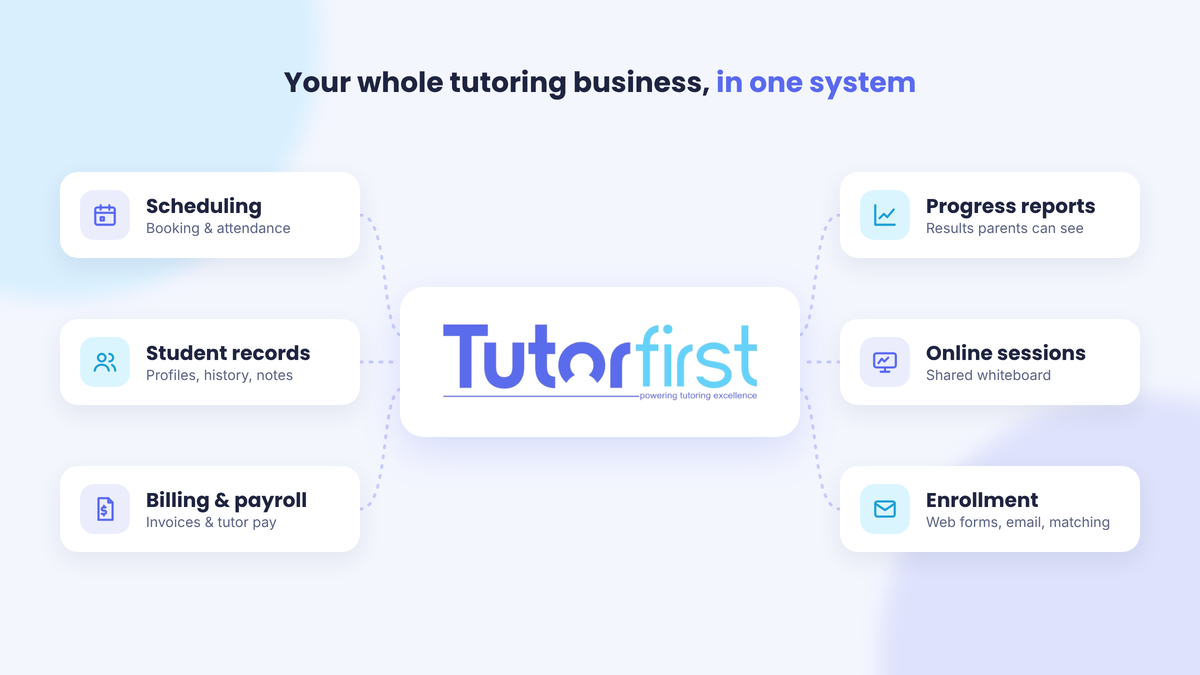
Tutoring management software is a single online system that runs the business side of tutoring: scheduling sessions, billing families, paying tutors, keeping student records and reporting on progress. It replaces the spreadsheets, paper calendars and separate invoicing apps most tutoring businesses start with, so you spend less time on admin and more time teaching.
You’ll also see it called a tutoring management system, tutor scheduling software or tutoring business software. The names vary, but the job is the same: keep every student, tutor, session and payment in one place.
What does tutoring management software do?
Most tools cover the same core jobs. Here’s what each one looks like day to day.
Scheduling and booking
Tutors set their availability, and sessions get booked against it. A good system syncs with the calendars your tutors already use, flags conflicts before they become double-bookings and records attendance for each session. Scheduling tools are usually the first reason a tutoring business goes looking for software.
Student and tutor records
Every student and tutor gets a profile: contact details, subjects, session history, notes and performance. When a parent calls, you can see everything about their child on one screen instead of digging through email threads.
Invoicing, payments and tutor payroll
Because the software already knows which sessions happened, it can build invoices from them automatically. Families can pay by card, you can see who’s paid and who hasn’t, and tutor pay can be calculated from the hours they logged. This is where many businesses get the most time back.
Progress reports and learning plans
Parents want to know their money is working. Tutoring software tracks assignments, test results and session notes, then turns them into progress reports you can share. Some tools also let you build a learning plan for each student and give practice tests, which is especially useful for test prep.
Online sessions
If you tutor online, some platforms include a shared whiteboard so tutor and student can work through problems together, with no separate tool to set up.
Marketing and enrollment
New students have to come from somewhere. Many systems include sign-up forms for your website, email list connections and tools for matching new students with the right tutor. That turns inquiries into booked sessions without manual back-and-forth.
Who uses tutoring management software?
Anyone who sells tutoring by the session can use it. What each type of business needs most is a little different:
- Solo tutors: fast booking and invoicing, so evenings aren’t spent on paperwork.
- Small tutoring teams: one shared calendar, plus a simple way to track each tutor’s hours and pay.
- Tutoring centers: room and staff scheduling, attendance, and reporting across many students at once.
- Test-prep companies: learning plans, practice tests and score tracking for exams like the SAT and ACT.
- Online tutoring businesses: scheduling across time zones and built-in tools for running sessions remotely.
What does tutoring management software replace?
Most tutoring businesses run on a patchwork of tools that don’t talk to each other. Here’s how that compares to one system:
| Task | The patchwork way | With tutoring management software |
|---|---|---|
| Scheduling | Paper planner, shared spreadsheet or a calendar app | One calendar that checks tutor availability before booking |
| Student records | Spreadsheets, notebooks and email threads | One profile per student with full session history |
| Invoicing | A separate accounting app, filled in by hand | Invoices built automatically from completed sessions |
| Payments | Checks, cash and payment apps tracked manually | Card payments recorded against each invoice |
| Tutor pay | Adding up hours from timesheets | Pay calculated from logged sessions |
| Progress updates | Writing each parent email from scratch | Reports pulled from the data you already have |
Signs you’ve outgrown spreadsheets
Spreadsheets work fine for a handful of students. You’ve probably outgrown them if any of these sound familiar:
- You’ve double-booked a tutor or a student more than once.
- You spend part of every week chasing unpaid invoices.
- Working out tutor pay means adding up hours by hand.
- A parent asks how their child is doing and you can’t answer without searching through notes.
- Only one person knows how the spreadsheet works.
- You’ve turned away new students because you couldn’t handle the admin.
What to look for when choosing tutoring management software
- All-in-one or separate pieces: one system for scheduling, billing and reporting means less copying data between tools.
- Online payments: families should be able to pay by card, and payments should match up with invoices automatically.
- Reporting: look for both business reports (revenue, hours, tutor workload) and student progress reports you can share with parents.
- Room to grow: the software should work for you as a solo tutor and still work when you have a team or a center.
- Training and support: switching systems takes effort, so check how much help you’ll get getting set up.
- Total cost: compare the subscription price with the hours of admin it saves you each month. Our guide on how to calculate tutoring cost can help you put a number on your time.
How TutorFirst fits
TutorFirst is tutoring management software built for session-based businesses, from solo tutors to tutoring centers. It brings these tools into one platform:
- Student scheduling and attendance, with tutor matching
- Invoicing, credit card processing and tutor payroll
- Progress reports and business reporting
- Learning plans and testing, plus an assignment tracker
- A whiteboard for online sessions
- Web forms and a Mailchimp integration for bringing in new students
You can see everything on the features page or book a demo to walk through it with your own business in mind.
Frequently asked questions
Is tutoring management software the same as a scheduling app?
No. A scheduling app only books sessions. Tutoring management software books sessions and then uses them for everything else: invoices, tutor pay, attendance and progress reports.
Do solo tutors need tutoring management software?
Not always. With a few regular students, a calendar and a spreadsheet can be enough. Once scheduling and billing start eating into your teaching time, or you want to take on more students, software usually pays for itself in hours saved.
Does tutoring management software work for online tutoring?
Yes. Scheduling, billing and records work the same whether sessions happen in person or online. Some platforms, including TutorFirst, also include a whiteboard for running online sessions.
What’s the difference between a tutoring management system and tutoring software?
They’re usually the same thing. “Tutoring software” is the broader term and can also mean tools used only during lessons, like video or whiteboard apps. A tutoring management system specifically runs the business side.