
Course Booking vs. Tutor Scheduling Tools
November 10, 2026 2026-11-10 18:39Course Booking vs. Tutor Scheduling Tools
Course Booking vs. Tutor Scheduling Tools
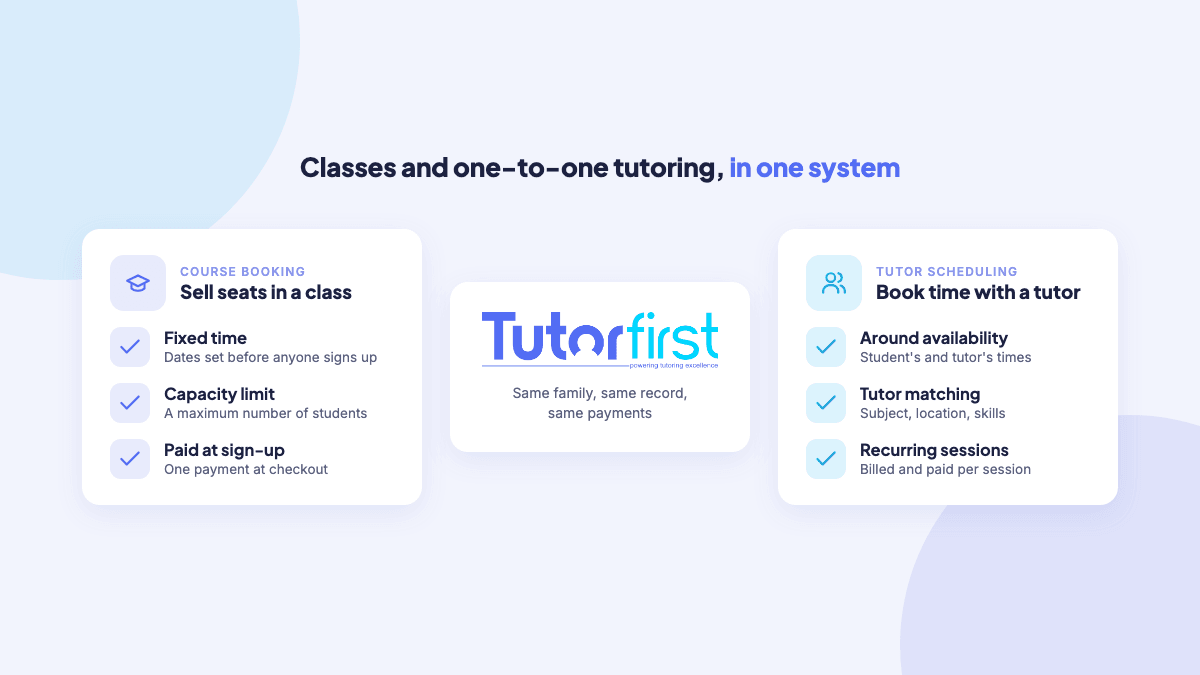
Course booking tools sell seats in a class that runs at a fixed time, while tutor scheduling tools match a tutor to a student and book sessions around both of their availability. If you only run classes, a course booking tool can be enough. If you offer one-on-one or small-group tutoring, you need tutor scheduling. Most tutoring businesses that do both are better off with one system that handles each, so families, payments and records aren’t split across two tools.
What a course booking tool does
A course booking tool is built around the class, not the person teaching it. You set the dates, times, price and number of seats, publish it, and families sign up and pay until it’s full. Typical examples in tutoring are:
- An SAT or ACT prep course that meets twice a week for six weeks
- A summer reading or math camp
- A one-day exam review workshop
- A study skills class for a whole grade
The key features are capacity limits, a sign-up page, payment at checkout and a class roster. The tool doesn’t need to know much about the instructor, because the time is fixed before anyone books.
What a tutor scheduling tool does
A tutor scheduling tool is built around the match between a tutor and a student. The time isn’t fixed in advance. It depends on when the student needs help, which tutors teach the subject, and who is actually free. The key features are different:
- Matching tutors by subject, availability, location and skills
- Recurring sessions that repeat weekly and skip holidays
- Rescheduling and substitutes when plans change
- Attendance logged per session
- Invoices and tutor pay calculated from the sessions that took place
Side by side
| Course booking tool | Tutor scheduling tool | |
|---|---|---|
| What’s being sold | A seat in a class | Time with a tutor |
| Who sets the time | The business, before sign-up | Agreed around the student’s and tutor’s availability |
| Group size | Many students, capped by capacity | Usually one student or a small group |
| Matching tutors | Not needed | Central: subject, availability, location, skills |
| Repeats | A set number of meetings | Ongoing, often weekly, until the family stops |
| Changes | Rare: the class runs as planned | Frequent: reschedules, holidays, substitutes |
| Billing | Paid once at sign-up | Packages, invoices in advance or after sessions |
| Tutor pay | Per class | Per session, by tutor rate |
Which one does your tutoring business need?
- Only classes and workshops: a course booking tool covers it.
- Only one-on-one tutoring: you need tutor scheduling. A course booking tool can’t match tutors or handle weekly changes.
- Both: this is common. A family signs up for a six-week SAT course, then wants a tutor for one-on-one follow-up. You need both, ideally in the same system.
The hidden cost of running two systems
Plenty of businesses run classes in one tool and tutoring in another. It works until the two need to talk to each other:
- The same family exists twice, with two logins and two sets of contact details.
- Payments land in two places, so working out what a family has paid means checking both.
- A student’s course results and tutoring notes live apart, so nobody sees the full picture.
- Tutors who teach both classes and one-on-one sessions are paid from two sets of records.
How TutorFirst handles both
TutorFirst covers course booking and tutor scheduling in one tutoring management system.
For classes and courses
The MarketPlace Storefront runs on your own website and sells classes and courses, like a test-prep intensive or a week of camp, with a maximum number of students. Families create a login, fill out a web form and pay by card at checkout. The same storefront also sells tutoring packages and lets families book a tutor directly.
For one-on-one tutoring
Recurring schedules set up weekly sessions in a few clicks and skip holidays automatically. Intelligent Tutor Match finds tutors by availability, subject, distance and skills, and Schedule Bid offers a new student to every qualified tutor at once. Attendance is logged when tutors close out sessions, and approved sessions feed invoices and tutor pay.
One record for each family
Because both run in the same system, the family who bought a course is the same customer you schedule for tutoring afterward. Their payments, attendance, notes and progress reports stay in one place.
Frequently asked questions
What is the difference between course booking and tutor scheduling?
Course booking sells seats in a class with a fixed time and capacity. Tutor scheduling matches a tutor to a student and books sessions around both of their availability, usually on a recurring basis.
Can I use a course booking tool for one-on-one tutoring?
Only in a limited way. You could list each tutor’s open slots as tiny “classes,” but you’d lose tutor matching, recurring schedules, substitutes and per-session tutor pay. It gets harder to manage with every tutor you add.
Can TutorFirst sell group classes?
Yes. The MarketPlace Storefront sells classes and courses with a maximum number of students, alongside tutoring packages, tutor bookings and single sessions.
Do I need two systems if I offer both?
No. A tutoring management system that covers both keeps each family, payment and student record in one place, so nothing is entered twice.
Running classes and one-on-one tutoring side by side? Explore TutorFirst’s scheduling tools or book a demo.